VENEQA
Understand Sound. Tune Smarter.
Professional live sound analysis and
system tuning software.
What’s VENEQA?
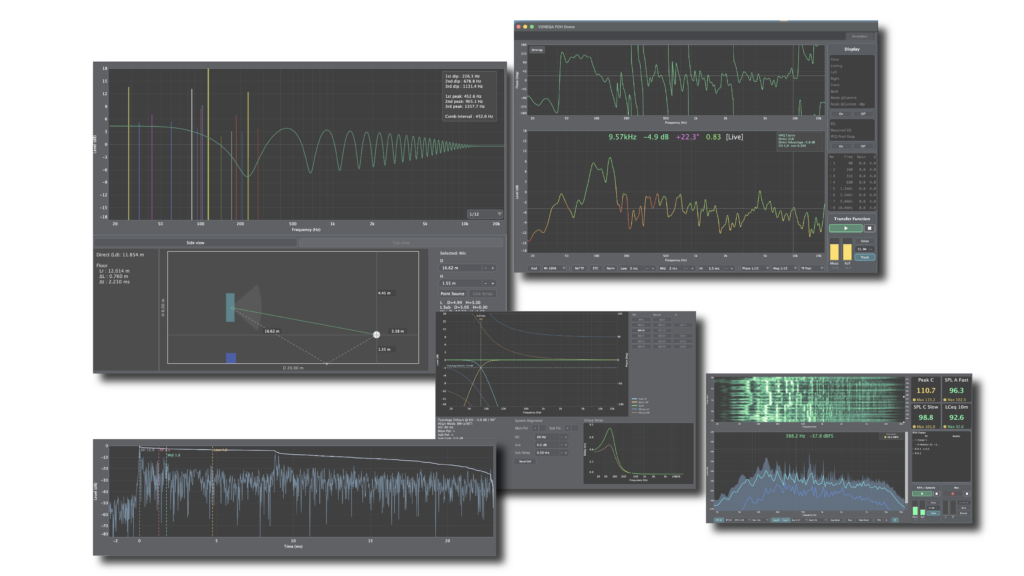
VENEQA FOH is professional system tuning software optimized for live FOH engineers.
For mobile use, VENEQA offers VENEQA Mobile and VENEQA Mobile Pro, with Pro providing seamless integration with the PC software.
VENEQA FOH is built around three powerful modes.
Simulation Mode
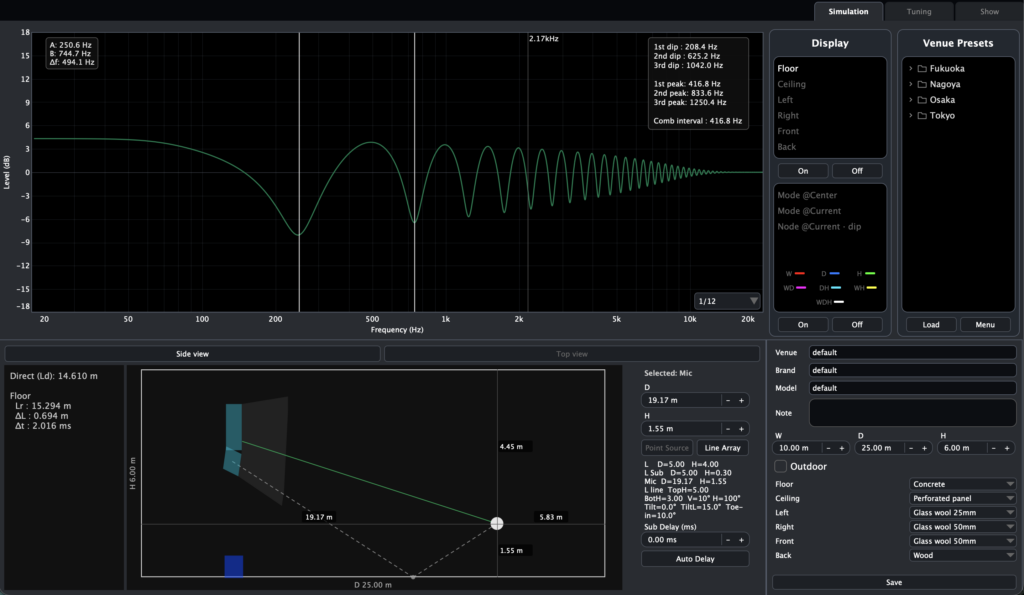
Explore venue-specific room modes and reflection characteristics that vary with the measurement position. Move the measurement position to learn how phenomena such as SBIR (Speaker Boundary Interference Response), comb filtering, and room modes actually occur in real-world environments. Use Simulation Mode as a guide for system tuning.
Tuning Mode
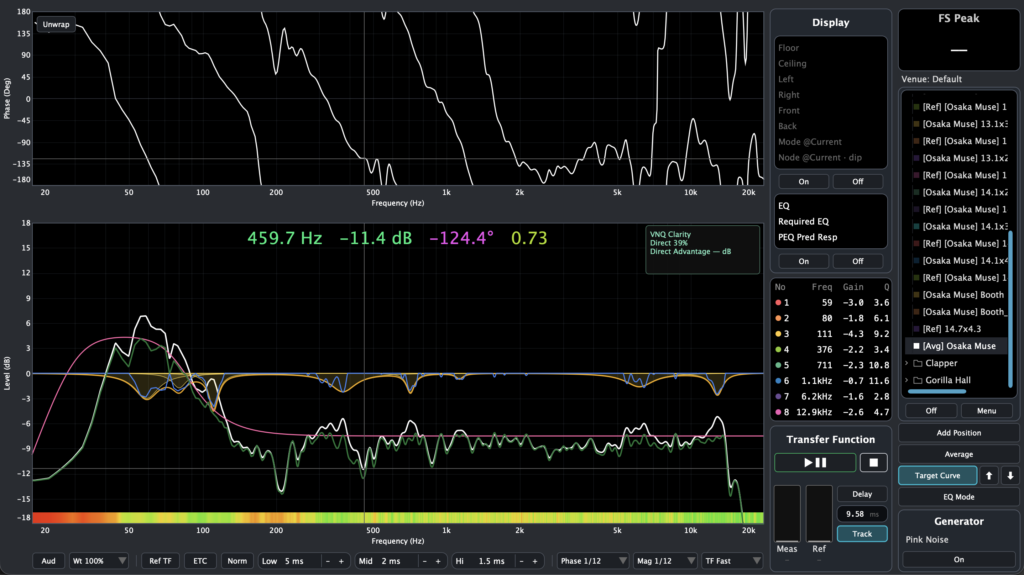
Analyze and optimize your sound system with Transfer Function analysis, Spatial Averaging, Auto PEQ, Ref TF, and simulation overlays for fast, accurate system tuning.
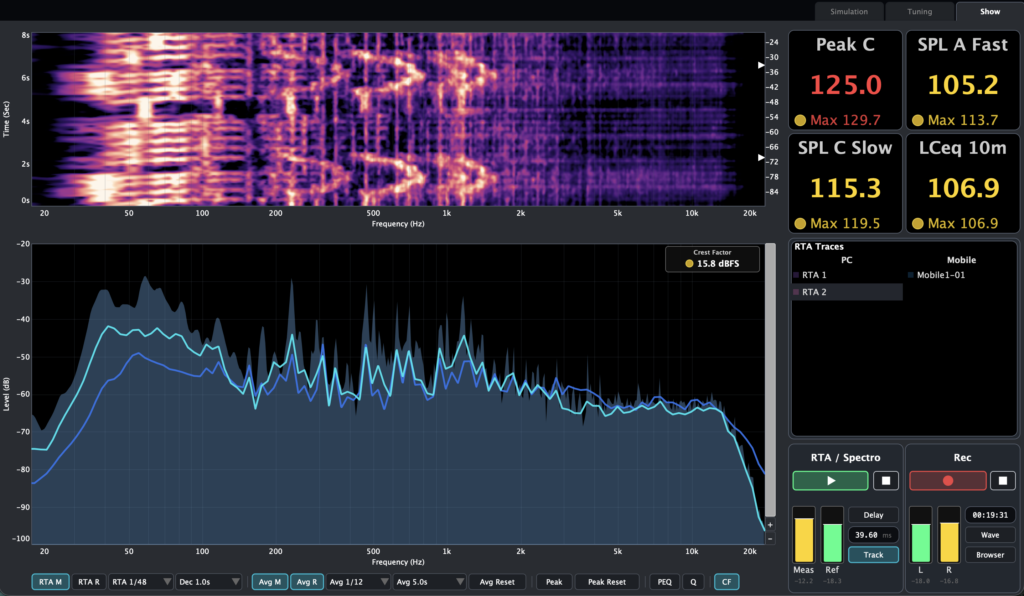
Show Mode
Designed for live shows, Show Mode combines a spectrogram, RTA, and 2mix recorder. Receive averaged response data from multiple mobile devices with a single tap, making it easy to monitor the acoustic characteristics of the entire venue.
VENEQA FOH
Feature Packed
VENUE Intelligence
Enter the venue dimensions, speaker positions, and wall materials to visualize the reflection characteristics and room modes at your measurement position. Save the settings as a Venue Preset for quick recall.
Reflection & Mode
Overlay reflection characteristics and room modes directly on the Transfer Function. This may help you determine whether a dip is caused by reflections or room modes.
Transfer Function
In addition to conventional magnitude and phase, VENEQA provides a Ref TF that separates the direct sound from the impulse response and displays only the amplitude of reflections and reverberant components. This may help you determine whether a dip is caused by reflections or interference between speaker drivers.
Auto PEQ
In Tuning Mode, automatically generate the required parametric EQ from averaged measurements across multiple points, matched to your target curve. Enter the generated EQ parameters into your mixer for fast, accurate system tuning—No additional measurement is required to verify the EQ curve.
RTA & Spectrogram
RTA provides smooth real-time response and averaged data, helping you understand the sound field and monitor your mix. The Spectrogram offers seven original color maps, allowing you to choose the look that fits your mood or event.
Live 2mix Recording
In Show Mode, you can record your live 2mix while measuring. If your measurement audio interface has two spare input channels, there is no need to carry a separate handheld recorder.
iOS Apps
Send RTA averages from iPhone to PC for easy display, and remotely control TF captures from your iPhone.
Pricing
VENEQA Startup Campaign
Special Benefits for the First 200 Licenses
VENEQA FOH
New license
VENEQA Startup Campaign
Exclusive Benefits for the First 200 Licenses
Exclusive Founder Benefits
Regular Price
VENEQA FOH
New License
One-time purchase
Additional License
For an additional computer